> For the complete documentation index, see [llms.txt](https://interfacing.gitbook.io/interfacing-help-files/llms.txt). Markdown versions of documentation pages are available by appending `.md` to page URLs; this page is available as [Markdown](https://interfacing.gitbook.io/interfacing-help-files/interfacing-help-files-fr/analystes-de-processus/business-process-management/creating-and-editing-process-diagrams/mapping-a-process/editing-bpmn-properties-for-objects-and-flows/tasks-and-subprocesses.md).

# Tasks & Subprocesses

Configure properties to control activity behavior, looping patterns, and (for tasks) functional type, defining how work executes in your process.

A **task** or **subprocess** is an **activity** in BPMN—a unit of work to be performed.

Each activity can be defined by:

* **Special Behaviors** — how it deviates from standard execution
* **Loop Characteristics** — how and when it repeats
* **Task Type** *(tasks only)* – its functional role in the process

{% hint style="info" %}
Use **Auto Reroute** to automatically redraw edges and improve diagram readability. This is useful if edges become misaligned, disconnected, or difficult to follow.

* See [**Rerouting with Auto Reroute**](#rerouting-with-auto-reroute) below for instructions.
  {% endhint %}

<details>

<summary><mark style="color:blue;"><strong>Rerouting with Auto Reroute</strong></mark></summary>

Use **Auto Reroute** to quickly correct and tidy up flows connected to an activity. This may be necessary if:

* The activity node size changes after applying **BPMN properties**
* Edges appear broken or disconnected
* Flows overlap or reduce diagram readability

To reroute flows:

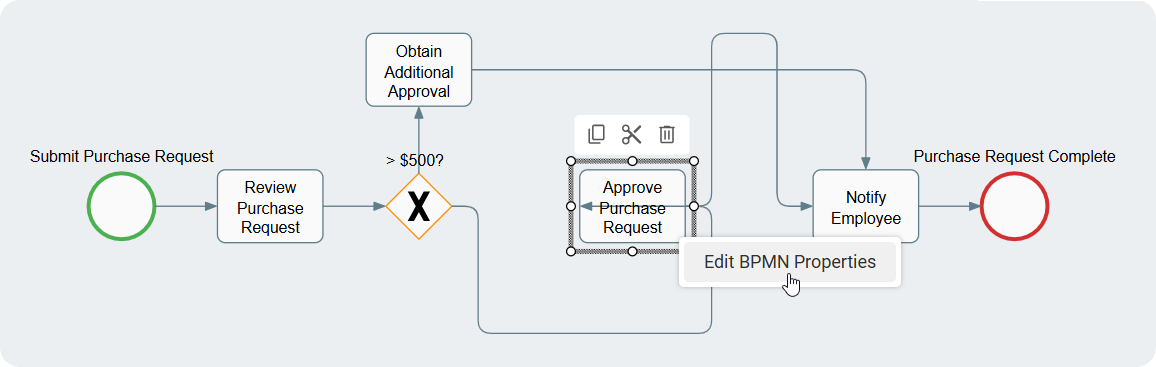
1. **Right-click** the affected activity and select **Edit BPMN Properties**.

<figure><img src="https://content.gitbook.com/content/AgpNu7XmgN3Z9B8kIShD/blobs/Es0IrqsMnMO3kaHNheFz/IMS-V16-Library-Edit-Proc-Reroute-7.png" alt="" width="563"><figcaption></figcaption></figure>

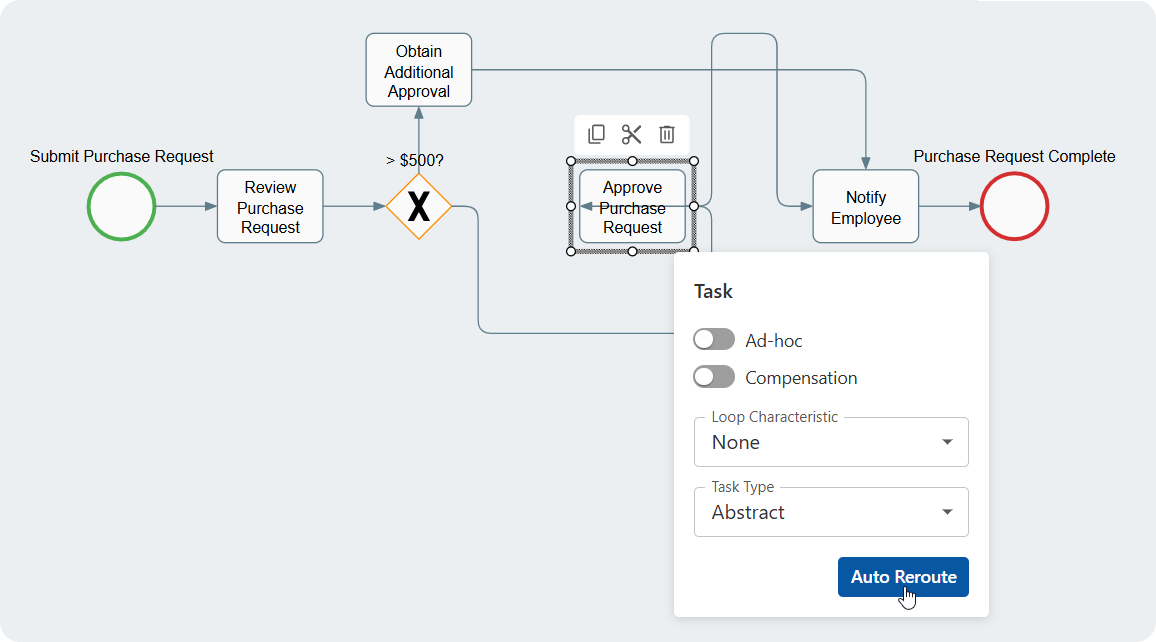
2. In the **BPMN Properties** dialog, click **Auto Reroute**.

<figure><img src="https://content.gitbook.com/content/AgpNu7XmgN3Z9B8kIShD/blobs/McqGOYhC6zOCT1XlFfdp/IMS-V16-Library-Edit-Proc-Reroute-7-1.png" alt="" width="563"><figcaption></figcaption></figure>

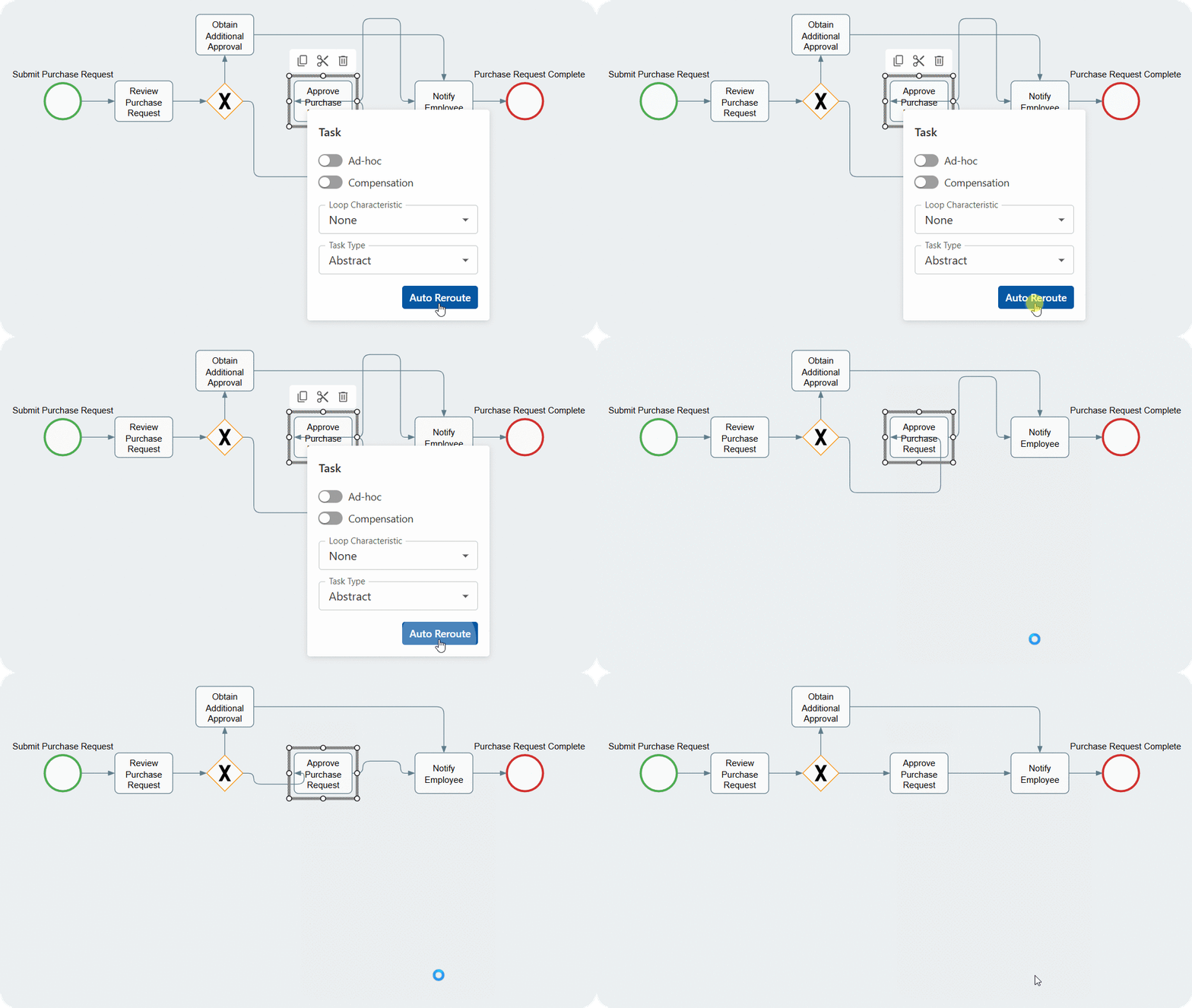
All connected flows will be automatically redrawn for clarity and proper alignment.

<figure><img src="https://content.gitbook.com/content/AgpNu7XmgN3Z9B8kIShD/blobs/RcMSuX1otvMcRbrTdUbW/IMS-V16-Library-Edit-Proc-Reroute-8.gif" alt="" width="563"><figcaption></figcaption></figure>

</details>

***

## Special Activity Behaviors

These properties modify the default way a task or subprocess runs.

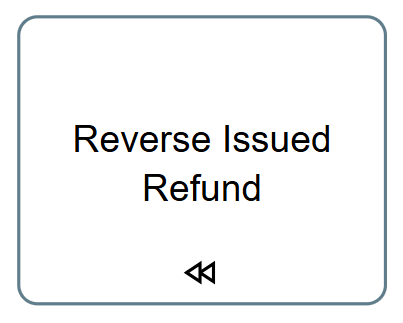
<table data-card-size="large" data-view="cards"><thead><tr><th></th><th>What It Is</th><th>When to Use</th><th align="center">What It Looks Like</th></tr></thead><tbody><tr><td><strong>Ad-Hoc</strong></td><td>An <strong>ad-hoc</strong> element allows its contained steps to be performed as needed—in any order or skipped entirely.</td><td>For activities requiring flexibility and user-driven control over sequence and execution.</td><td align="center"><img src="https://content.gitbook.com/content/AgpNu7XmgN3Z9B8kIShD/blobs/SdnTK9YD1vm87rkIUw1l/IMS-V16-Library-Edit-ST-BPMN.png" alt="" data-size="original"></td></tr><tr><td><strong>Compensation</strong></td><td>A compensation element reverses the outcome of a previously completed activity, restoring a prior state or mitigating its effects.</td><td>To undo results when errors, exceptions, or abnormal situations occur.</td><td align="center"><img src="https://content.gitbook.com/content/AgpNu7XmgN3Z9B8kIShD/blobs/TbI1Y90nJGW83Y6DWhrZ/IMS-V16-Library-Edit-ST-BPMN-1.png" alt="" data-size="original"></td></tr></tbody></table>

***

## Loop Characteristics

Loop characteristics define **whether and how an activity repeats**.

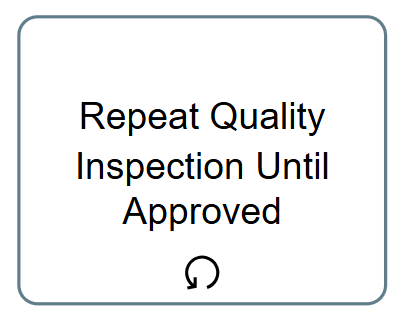
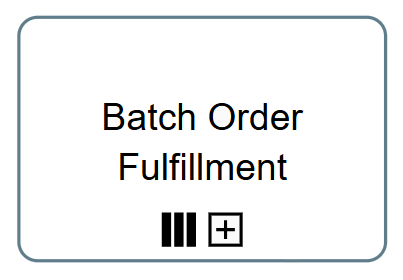
<table data-view="cards"><thead><tr><th></th><th>What It Is</th><th align="center">What It Looks Like</th></tr></thead><tbody><tr><td><strong>Loop</strong></td><td>A <strong>loop</strong> repeats a set of activities multiple times based on a specified condition, stopping only when that condition is no longer met.</td><td align="center"><img src="https://content.gitbook.com/content/AgpNu7XmgN3Z9B8kIShD/blobs/gfiALJGJde3HlVs1tkk4/IMS-V16-Library-Edit-ST-BPMN-2.png" alt="" data-size="original"></td></tr><tr><td><strong>Parallel</strong></td><td>A <strong>parallel loop</strong> executes multiple instances of the looped activities simultaneously, with each iteration running independently.</td><td align="center"><img src="https://content.gitbook.com/content/AgpNu7XmgN3Z9B8kIShD/blobs/MpR6BV7fOiihFHLsWl1B/IMS-V16-Library-Edit-ST-BPMN-3.png" alt="" data-size="original"></td></tr><tr><td><strong>Sequential Loop</strong></td><td>A <strong>sequential loop</strong> executes the looped activities one after another, starting the next iteration only after the previous one finishes.</td><td align="center"><img src="https://content.gitbook.com/content/AgpNu7XmgN3Z9B8kIShD/blobs/E5u8zctufWTb3Xtb516D/IMS-V16-Library-Edit-ST-BPMN-4.png" alt="" data-size="original"></td></tr></tbody></table>

***

## Task Types (Tasks Only)

Task types specify the functional role of a task in the process.

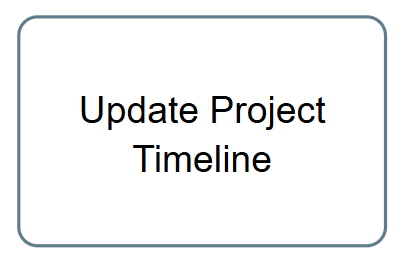
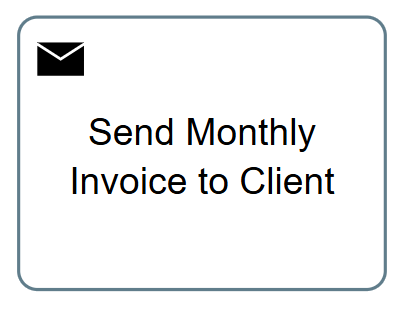
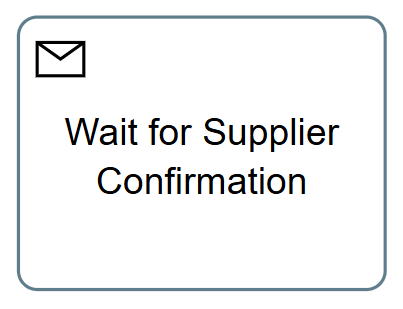
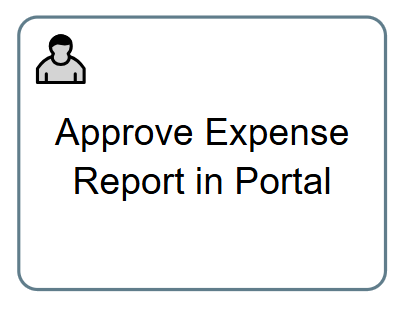
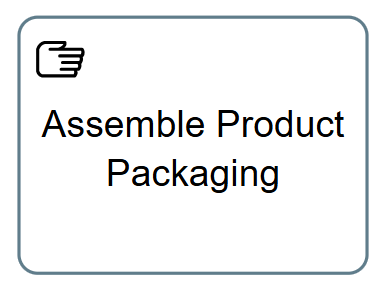
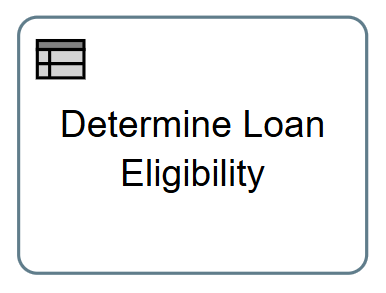
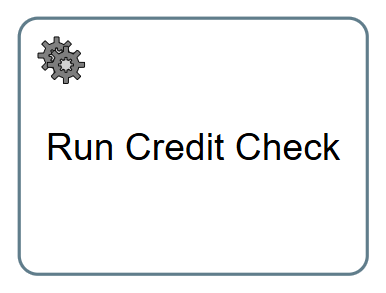
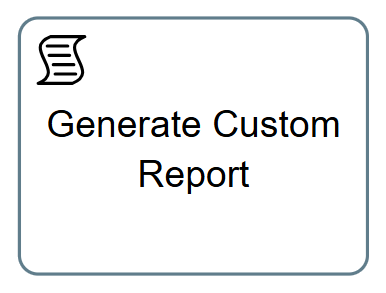
<table data-card-size="large" data-view="cards"><thead><tr><th></th><th>What It Is</th><th align="center">What It Looks Like</th></tr></thead><tbody><tr><td><strong>Abstract</strong></td><td>An <strong>abstract task</strong> acts as a placeholder representing an activity that is not fully defined in the process model.</td><td align="center"><img src="https://content.gitbook.com/content/AgpNu7XmgN3Z9B8kIShD/blobs/HScWDS0Vr2hUpDjh7Eji/IMS-V16-Library-Edit-ST-BPMN-5.png" alt="" data-size="original"></td></tr><tr><td><strong>Send</strong></td><td>A <strong>send task</strong> represents an activity that initiates sending a message or communication to an external recipient or system.</td><td align="center"><img src="https://content.gitbook.com/content/AgpNu7XmgN3Z9B8kIShD/blobs/kfRTcjIxYJL1XQFBDjAi/IMS-V16-Library-Edit-ST-BPMN-8.png" alt="" data-size="original"></td></tr><tr><td><strong>Receive</strong></td><td>A <strong>receive task</strong> represents a point where the process flow pauses until a specific message or signal is received from an external participant or system.</td><td align="center"><img src="https://content.gitbook.com/content/AgpNu7XmgN3Z9B8kIShD/blobs/qGL93yWEYSLMjefMgA9H/IMS-V16-Library-Edit-ST-BPMN-9.png" alt="" data-size="original"></td></tr><tr><td><strong>User</strong></td><td>A <strong>user task</strong> requires a human to complete work using a software interface, such as reviewing documents or approving requests.</td><td align="center"><img src="https://content.gitbook.com/content/AgpNu7XmgN3Z9B8kIShD/blobs/E7vHeGaHxv8cASi5YWhX/IMS-V16-Library-Edit-ST-BPMN-10.png" alt="" data-size="original"></td></tr><tr><td><strong>Manual</strong></td><td>A <strong>manual task</strong> involves work performed entirely outside of any software system, relying on human effort, such as physical tasks, paper-based activities, or manual decision-making.</td><td align="center"><img src="https://content.gitbook.com/content/AgpNu7XmgN3Z9B8kIShD/blobs/XVnLNJBnEOPjt96TGgvl/IMS-V16-Library-Edit-ST-BPMN-11.png" alt="" data-size="original"></td></tr><tr><td><strong>Business Rule</strong></td><td>A <strong>business rule</strong> task executes a business rule or decision, automating rule-based processes such as validations or decision logic.</td><td align="center"><img src="https://content.gitbook.com/content/AgpNu7XmgN3Z9B8kIShD/blobs/aiSgbzWshr2E87QHf39O/IMS-V16-Library-Edit-ST-BPMN-12.png" alt="" data-size="original"></td></tr><tr><td><strong>Service</strong></td><td>A <strong>service task</strong> represents work performed by an automated software service, application, or external system invoked during the process.</td><td align="center"><img src="https://content.gitbook.com/content/AgpNu7XmgN3Z9B8kIShD/blobs/HNyQ0DzG7JqC0atS0Uav/IMS-V16-Library-Edit-ST-BPMN-13.png" alt="" data-size="original"></td></tr><tr><td><strong>Script</strong></td><td>A <strong>script task</strong> represents an activity implemented via a script or code snippet (e.g., JavaScript, Groovy, Python) that executes custom logic or automation within the process.</td><td align="center"><img src="https://content.gitbook.com/content/AgpNu7XmgN3Z9B8kIShD/blobs/J8znyHzplU55HNTolYGI/IMS-V16-Library-Edit-ST-BPMN-14.png" alt="" data-size="original"></td></tr></tbody></table>

***


---

# Agent Instructions
This documentation is published with GitBook. GitBook is the documentation platform designed so that both humans and AI agents can read, navigate, and reason over technical content effectively. Learn more at gitbook.com.

## Querying This Documentation
If you need additional information that is not directly available in this page, you can query the documentation by asking a question.

Perform an HTTP GET request on the following URL with the `ask` and `goal` query parameters:

```
GET https://interfacing.gitbook.io/interfacing-help-files/interfacing-help-files-fr/analystes-de-processus/business-process-management/creating-and-editing-process-diagrams/mapping-a-process/editing-bpmn-properties-for-objects-and-flows/tasks-and-subprocesses.md?ask=<question>&goal=<user_goal>
```

`ask` is the immediate question: it should be specific, self-contained, and written in natural language.
`goal` is what the user is ultimately trying to achieve, the reason they need the answer. Sharing it helps GitBook give you a better, more relevant answer. A goal is most helpful when it describes the outcome the user wants rather than restating the question. For example, with `ask=how do I create an API token`, a goal like `automate deployments from our CI pipeline` lets GitBook tailor the answer to that use case.

The response will contain a direct answer to the question and relevant excerpts and sources from the documentation.

Use this mechanism when the answer is not explicitly present in the current page, you need clarification or additional context, or you want to retrieve related documentation sections.