> For the complete documentation index, see [llms.txt](https://interfacing.gitbook.io/interfacing-help-files/llms.txt). Markdown versions of documentation pages are available by appending `.md` to page URLs; this page is available as [Markdown](https://interfacing.gitbook.io/interfacing-help-files/interfacing-help-files-fr/supplier-and-product-management/contractor-application/navigating-the-contractor-management-workflow/prequalify-screen-contractor.md).

# Prequalify / Screen Contractor

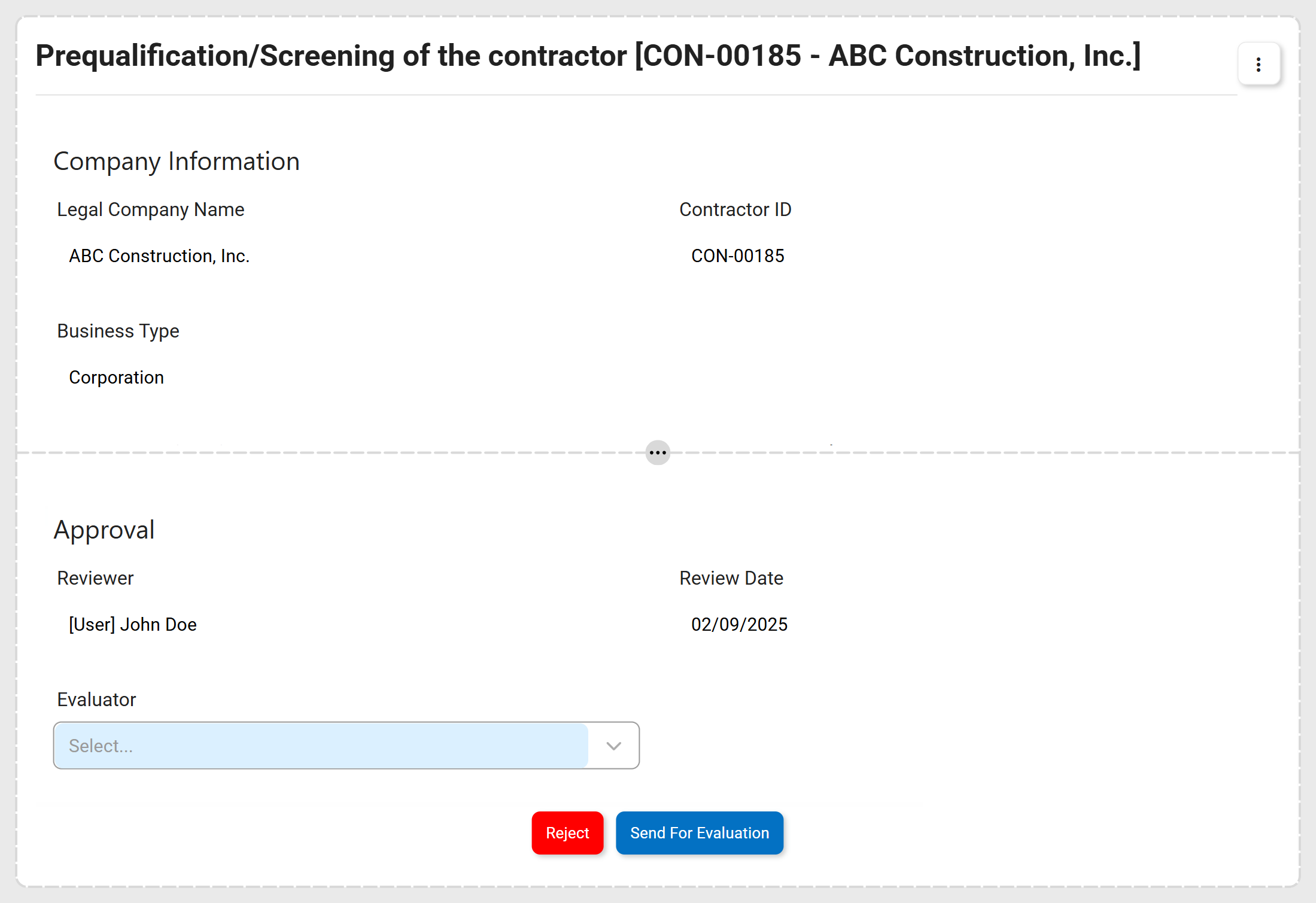
After a contractor request is submitted, the designated reviewer conducts an initial assessment to verify that the contractor meets baseline eligibility and compliance requirements.

<figure><img src="https://content.gitbook.com/content/AgpNu7XmgN3Z9B8kIShD/blobs/WcclT1GZa1wFoqjEUSsQ/CON-V16-Contractor-Initial-Review.png" alt=""><figcaption></figcaption></figure>

<details>

<summary><strong>Accessing the Task</strong></summary>

The **Prequalification / Screening of the Contractor** task can be accessed through any of the following:

* The **To Do** module.
* The **Notification Panel** (via the **Notification Bell**).
* The **direct link** provided in the email notification.

</details>

***

{% stepper %}
{% step %}

### Confirm Prequalification Requirements

Verify that the contractor satisfies all prequalification criteria.

<table data-card-size="large" data-view="cards"><thead><tr><th></th><th></th></tr></thead><tbody><tr><td>✅  <strong>Business Registration / Legal Status</strong></td><td>Business registration and legal details are accurate and up to date.</td></tr><tr><td>✅  <strong>Regulatory Certifications / Trade Licenses</strong></td><td>All required certifications and trade licenses are valid.</td></tr><tr><td>✅  <strong>Insurance</strong></td><td>Insurance coverage is sufficient, including general liability and workers’ compensation.</td></tr><tr><td>✅  <strong>Financial Stability</strong> <em>(if applicable)</em></td><td>Documentation demonstrates financial capacity to complete the contracted work.</td></tr></tbody></table>

{% hint style="info" %}
Most fields in this form are **read-only**. Editable fields function the same as in the [New Contractor](/interfacing-help-files/interfacing-help-files-fr/supplier-and-product-management/contractor-application/navigating-the-contractor-management-workflow/create-new-contractor-request.md) form.
{% endhint %}

***

{% endstep %}

{% step %}

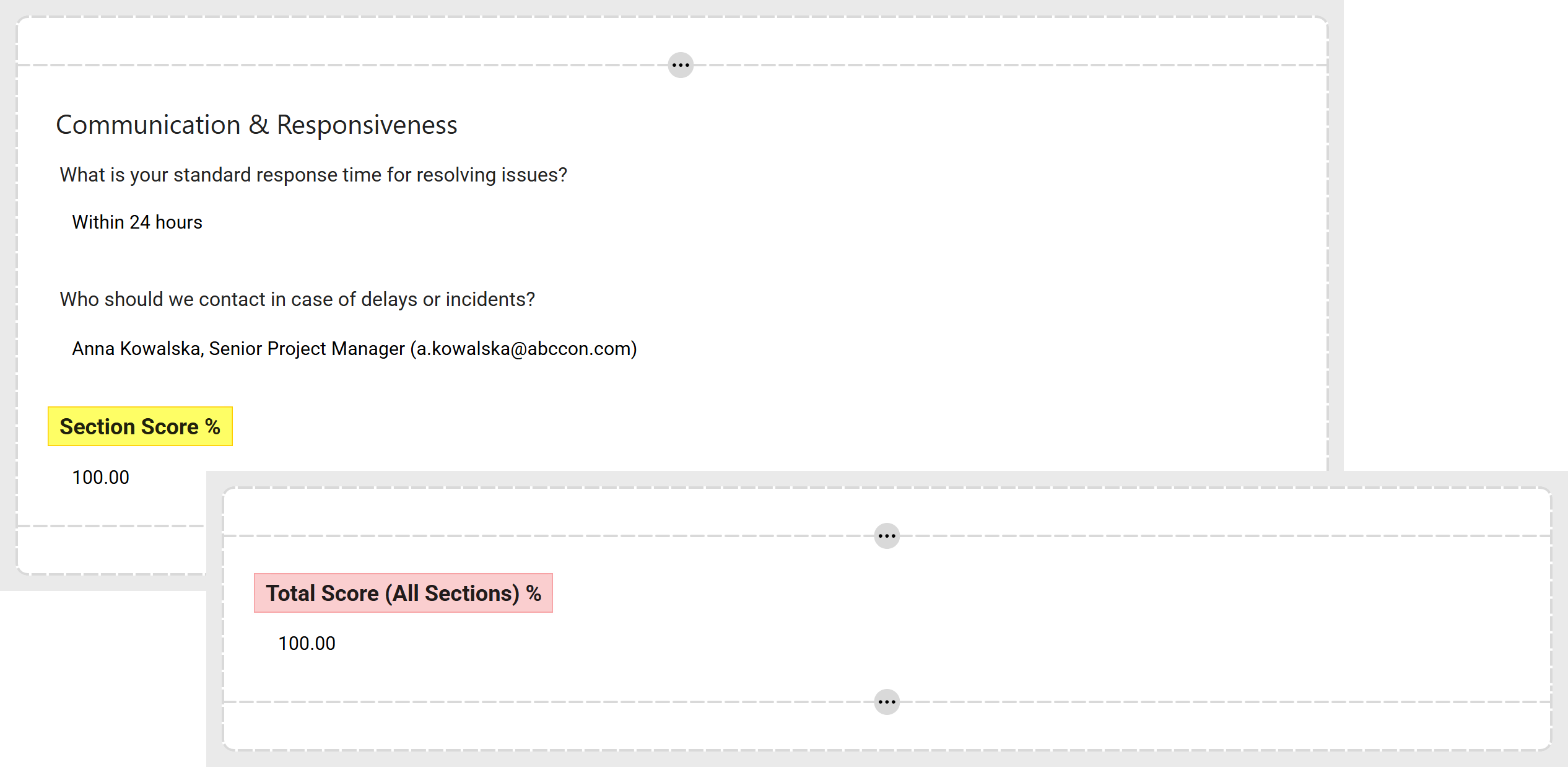
### Check Scores

Verify that the contractor’s section and total scores meet the minimum thresholds defined by organizational guidelines.

<figure><img src="https://content.gitbook.com/content/AgpNu7XmgN3Z9B8kIShD/blobs/B93meCepwHloYnBm5Mm4/CON-V16-Contractor-Initial-Review-1.png" alt=""><figcaption></figcaption></figure>

{% hint style="success" %}
For more information, refer to the [**Scoring Framework**](/interfacing-help-files/interfacing-help-files-fr/supplier-and-product-management/contractor-application/navigating-the-contractor-management-workflow/evaluate-contractor-response/scoring-framework.md).
{% endhint %}

***

{% endstep %}

{% step %}

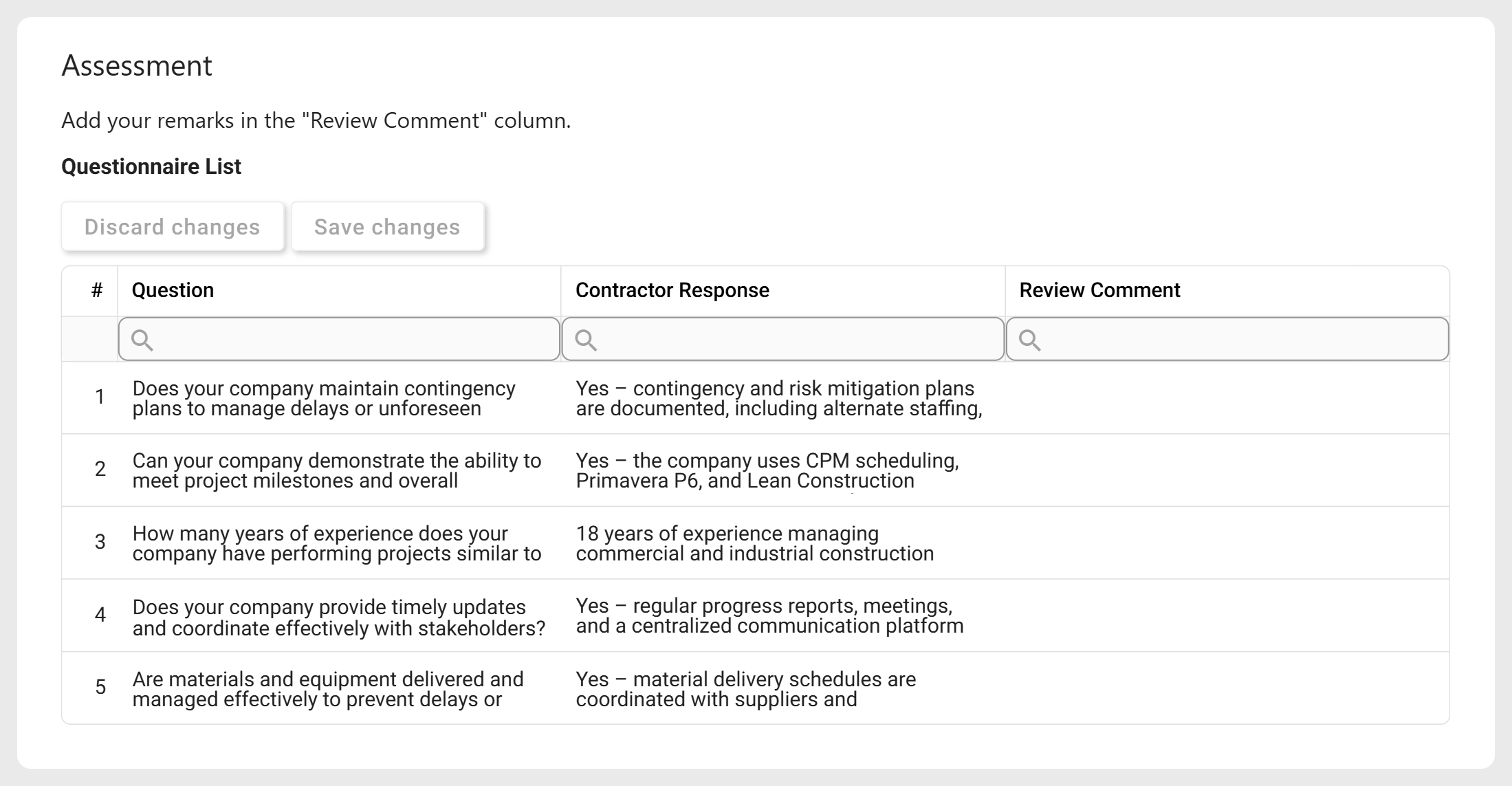
### Review Assessment Questionnaire

Review each contractor response and provide feedback as needed.

<table data-card-size="large" data-view="cards"><thead><tr><th></th><th></th></tr></thead><tbody><tr><td>📌  <strong>Contractor Response</strong></td><td>Verify that all required information is complete, accurate, and consistent.</td></tr><tr><td>📌  <strong>Review Comment</strong></td><td>Record observations, discrepancies, or items requiring follow-up.</td></tr></tbody></table>

<figure><img src="https://content.gitbook.com/content/AgpNu7XmgN3Z9B8kIShD/blobs/D13AxXIiLTdGszxyb1Xn/CON-V16-Contractor-Initial-Review-2.png" alt=""><figcaption></figcaption></figure>

***

{% endstep %}

{% step %}

### Assign Evaluator

Select the [user, role, or group](#user-content-fn-1)[^1] responsible for performing the evaluation.

<figure><img src="https://content.gitbook.com/content/AgpNu7XmgN3Z9B8kIShD/blobs/HBmaDmG9wG3OqMhc731O/CON-V16-Contractor-Initial-Review-3.png" alt=""><figcaption></figcaption></figure>

***

{% endstep %}

{% step %}

### Finalize Review

Use the buttons at the bottom of the form to take the appropriate action:

* **Reject**: Click to reject the request if minimum criteria are not met.
  * This concludes the **Contractor Management** workflow.
* **Send for Evaluation**: Click to submit the request to the assigned evaluator for [further assessment](/interfacing-help-files/interfacing-help-files-fr/supplier-and-product-management/contractor-application/navigating-the-contractor-management-workflow/evaluate-contractor-response.md).

***

{% endstep %}
{% endstepper %}

***

[^1]: 💡 **For Administrators:**

    Manage the options that populate the **Evaluator** dropdown in:

    **Library** > [**Organization**](https://interfacing.gitbook.io/interfacing-help-files/~/changes/557/process-analysts/organization-management/creating-and-editing-organization-objects).

    Only **active** users, roles, and groups will appear in the dropdown.


---

# Agent Instructions
This documentation is published with GitBook. GitBook is the documentation platform designed so that both humans and AI agents can read, navigate, and reason over technical content effectively. Learn more at gitbook.com.

## Querying This Documentation
If you need additional information that is not directly available in this page, you can query the documentation dynamically by asking a question.

Perform an HTTP GET request on the current page URL with the `ask` query parameter, and the optional `goal` query parameter:

```
GET https://interfacing.gitbook.io/interfacing-help-files/interfacing-help-files-fr/supplier-and-product-management/contractor-application/navigating-the-contractor-management-workflow/prequalify-screen-contractor.md?ask=<question>&goal=<endgoal>
```

`ask` is the immediate question: it should be specific, self-contained, and written in natural language.
`goal` is optional and describes the broader end goal you are ultimately trying to accomplish on behalf of the user. GitBook uses it to tailor the answer towards what is most useful for that goal.

The response will contain a direct answer to the question and relevant excerpts and sources from the documentation.

Use this mechanism when the answer is not explicitly present in the current page, you need clarification or additional context, or you want to retrieve related documentation sections.